For the longest time, I was grinding on Upwork, sending proposal after proposal, and landing clients who wanted “quality work” but had a $200 budget for a month-long project. Sound familiar?
I’m not going to sugarcoat it — I spent almost two years in that cycle. Taking whatever came my way, undercharging, overdelivering, and still feeling like I was running on a treadmill that never moved forward.
Then I started using AI tools — not just to do the work, but to find better clients. And that shift? It genuinely changed things.
This isn’t a rags-to-riches story, but it is a real one. Here’s what I actually tried, what flopped, and what’s actually working now.
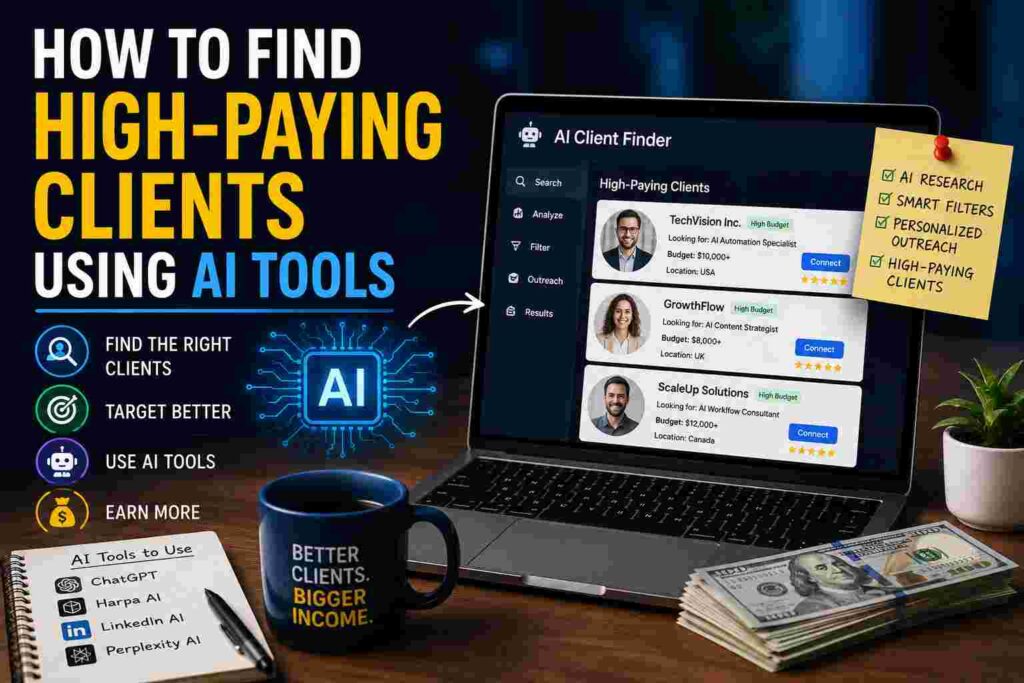
The Problem With How Most Freelancers Search for Clients
Here’s what most of us do: we go to the same job boards, search the same keywords, and compete against hundreds of other freelancers doing the exact same thing. The clients who post on those boards? They’ve already been trained to expect low prices because there’s always someone willing to go cheaper.
High-paying clients don’t always post jobs. A lot of them get referrals, hire from LinkedIn, or respond to outreach when it’s done right. The trick is getting in front of them before they even think about posting a job listing.
That’s where AI tools started to shift my game.
Step 1: Use AI to Build a Crystal-Clear Ideal Client Profile
Before I even touched an outreach tool, I sat down with ChatGPT and had what I can only describe as a weirdly therapeutic business therapy session.
I typed out: “Help me identify the type of client who would genuinely benefit from my skills, has budget to pay well, and actually values what I offer.” Then I fed it my portfolio, my skill set, and the types of projects I’d done in the past.
What came back wasn’t magic — but it was organized. It helped me think through things like:
- What industry do my best past clients come from?
- What company size tends to have budget but not a full in-house team?
- What pain points are they Googling at 11pm?
I refined this over a few conversations. By the end, I had a clear picture: mid-sized SaaS companies, usually 20–100 employees, who had a marketing team but no dedicated content strategist. That was my lane. Before that exercise, I was just applying everywhere.
Lesson learned: Trying to reach everyone is the fastest way to reach no one valuable.
Step 2: Let AI Do the Research You’d Never Have Time to Do Manually
Once I knew who I was looking for, I used a combination of tools to actually find them.
LinkedIn + Claude/ChatGPT: I’d copy a company’s LinkedIn “About” section or a job listing into Claude and ask it to summarize their current pain points. If a company is hiring a content manager but the position has been open for three months, that tells you they’re struggling. That’s an opening.
Perplexity AI for company research: This one surprised me. Instead of spending an hour reading a company’s blog, press releases, and Crunchbase page, I’d ask Perplexity something like: “What do I need to know about [Company Name] before a sales call?” It pulls from live sources and gives me a usable summary in two minutes.
Apollo.io with AI filters: Apollo lets you search for companies and contacts by niche, size, funding stage, and tech stack. Pair that with its AI-assisted email generation feature, and you’ve got a starting point for personalized outreach at scale. I still edit every email — but I’m not starting from a blank screen anymore.

Step 3: Write Outreach That Doesn’t Sound Like Outreach
This is where most people mess up. They use AI to write cold emails, and those emails read like cold emails — stiff, template-y, and clearly not personal.
My approach now: use AI to draft, then rewrite it to sound like me.
I’ll prompt Claude with something like: “Write a cold email to a SaaS marketing director who just launched a new product feature. I’m a content strategist. Make it feel warm, not salesy. Focus on their recent launch and a specific result I’ve gotten for a similar client.”
Then I take that draft and rework it. I cut the formal stuff. I add a detail that shows I actually looked at their website. I keep it short — five sentences max.
The response rate isn’t 100%. It’s not even 20%. But it’s way higher than the spray-and-pray emails I used to send.
One real example: I sent 12 personalized emails to HR tech companies after using Perplexity to research each one. Four replied. Two jumped on calls. One became a client at a rate I would’ve been scared to quote six months earlier.
Step 4: Use AI to Prep for Sales Calls (This One’s Underrated)
Once someone agrees to a call, I do a pre-call prep session with AI. I share everything I know about the company and ask:
- “What objections might they have to hiring a freelancer over an agency?”
- “What questions should I ask to understand their real budget and timeline?”
- “What results should I highlight that would resonate with someone in their role?”
It’s like having a coach who’s done the research for you. I go into calls feeling prepared instead of winging it and hoping for the best.
I also use AI to build proposal templates tailored to what the client said during the discovery call. Faster turnaround plus more relevant proposals equals a higher close rate.

Step 5: Automate the Follow-Up Without Being Annoying
Most deals don’t close on the first call or the first email. But manually tracking who to follow up with and when is exhausting.
I use a combination of Notion AI to organize my pipeline and ChatGPT to draft follow-up messages. I describe the situation — where we left off, what they said, what I want to say next — and ask for a short, natural follow-up.
The key is not making it feel like a template. Mentioning something specific, like “I saw you guys just announced X” or “I finished a project similar to what you described,” keeps it human.
Mistakes I Made Along the Way
Relying too much on AI for the actual message: Early on I was copy-pasting AI-written emails without editing. They were fine, but they weren’t me. Clients who got on calls would sometimes feel a mismatch. Now I edit everything.
Not niching down soon enough: I used AI to try and reach every industry at once. Didn’t work. The more specific your outreach, the better your results.
Skipping the research step: Sometimes I’d be lazy and just ask AI to “write me a cold email for a marketing agency.” Generic prompt, generic output, zero results. The research step isn’t optional — it’s the whole thing.
Treating AI like a vending machine: I used to expect AI to just give me clients. It doesn’t work that way. It speeds up your process and sharpens your thinking, but you still need to build real relationships.
The Tools That Actually Moved the Needle
Not a sponsored list — just what worked for me:
- ChatGPT / Claude — For brainstorming, drafting, and refining outreach and proposals
- Perplexity AI — For quick, source-backed company research before outreach or calls
- Apollo.io — For finding the right contacts in target companies
- LinkedIn Sales Navigator — For precise prospecting with filters (worth it if budget allows)
- Notion AI — For pipeline management and drafting follow-ups
- Loom — Sending a 90-second personalized video with cold outreach still converts surprisingly well
Where to Start If You’re New to This
If this all feels like a lot, here’s the simplest version:
- Open ChatGPT and describe your skills and best past clients
- Ask it to help you define your ideal client profile
- Search for 10 companies that fit using LinkedIn or Apollo
- Research each one using Perplexity
- Write a personalized email — AI draft, then your edits
- Send it and track what happens
Do that consistently for 30 days and you’ll learn more about what works for your niche than any course could teach you.
The freelancers I see struggling aren’t bad at their work. They’re just using the same playbook as everyone else and wondering why they get the same results. AI tools, used thoughtfully, give you a real edge — not because they’re magic, but because most people aren’t using them the right way.
Start with research. Be specific. Stay human. That’s really the whole thing.