When I first started freelancing, I was doing everything manually. Writing proposals one by one, formatting reports by hand, spending hours on tasks that honestly didn’t need a human brain. I was charging $15/hour and still barely keeping up with the workload.
Then I started using AI tools — not to work less, but to work smarter. Within six months, I was charging $75–$100/hour for the same types of projects. My clients weren’t complaining. If anything, they were happier because my output was faster, cleaner, and more consistent.
This article is about how that shift happened, what I actually use, and how you can do the same — without pretending you’re a robot or hiding the fact that you use AI.

The Mindset Shift That Changes Everything
Here’s the trap most freelancers fall into when they discover AI tools: they think, “If I can do this job in 30 minutes instead of 3 hours, I should charge less.”
That’s completely backwards.
Clients don’t pay for your time. They pay for your results. If you can deliver a polished 2,000-word article, a cleaned-up dataset, or a well-designed email sequence faster because you’ve built smart workflows — that’s a skill, not a shortcut.
Think of it like a carpenter who invests in better tools. They don’t charge less because they finish the job faster. They charge more because the output is better and more reliable.
The moment I started pricing based on value delivered rather than hours spent, everything changed.
What “Premium Rates” Actually Means in Practice
Let me give you a real example.
I do content writing and strategy for SaaS companies. Before AI, a typical blog post with research, outline, draft, and edits took me about 5–6 hours. I charged $150 per post.
Now? The same post — actually higher quality, with better structure and more thorough research — takes me around 1.5 to 2 hours. I charge $300–$400 per post.
Why would clients pay more? Because:
- The content is better structured (I use AI to check logical flow and SEO gaps)
- I deliver faster (48 hours instead of 5–7 days)
- I offer more revisions confidently (revisions are easier when you understand the structure)
- I position myself as someone who uses “advanced research and content systems”
That last point matters. How you frame your process is part of what you’re selling.
The Tools That Actually Make a Difference
I’m not going to list 50 tools and overwhelm you. These are the ones that genuinely moved the needle for me.
1. Claude or ChatGPT — For Thinking, Not Just Writing
A lot of freelancers use AI as a writing machine. That’s the wrong approach.
I use it as a thinking partner. Before starting any project, I’ll dump the client brief into Claude and ask: “What are the three biggest risks in this project? What questions am I not asking?” This has saved me from misunderstandings that would have cost hours in revisions.
For copywriting clients, I use it to generate 10 different angles for a headline and then pick the best two to develop. The creative judgment is still mine — the AI just speeds up the brainstorming.

2. Zapier or Make — For Repeating Tasks
This is where I saved the most time, and where most freelancers don’t even look.
I built a simple automation: when a client fills out my intake form, Zapier automatically creates a project folder in Google Drive, sends the client a welcome email with their project timeline, and adds the project to my task manager. That used to take me 20–30 minutes per new client. Now it’s zero minutes. Over a month with 8–10 new projects, that’s 3–4 hours back in my life.
For clients who need monthly reports, I automated the data-pulling part using Make. The report template populates with live data, I review and add commentary, and send it off. What used to take 3 hours now takes 45 minutes.
3. Notion AI — For Proposals and Client Communication
Writing proposals is something most freelancers hate. It’s time-consuming, repetitive, and you’re never sure if it’s hitting the right tone.
I built a proposal template in Notion and use Notion AI to customize it based on the specific client’s industry and pain points. I still write the final version myself, but the draft takes 15 minutes instead of an hour. My close rate on proposals actually went up when I started doing this — because I had more time to focus on the client-specific details instead of stressing over formatting.
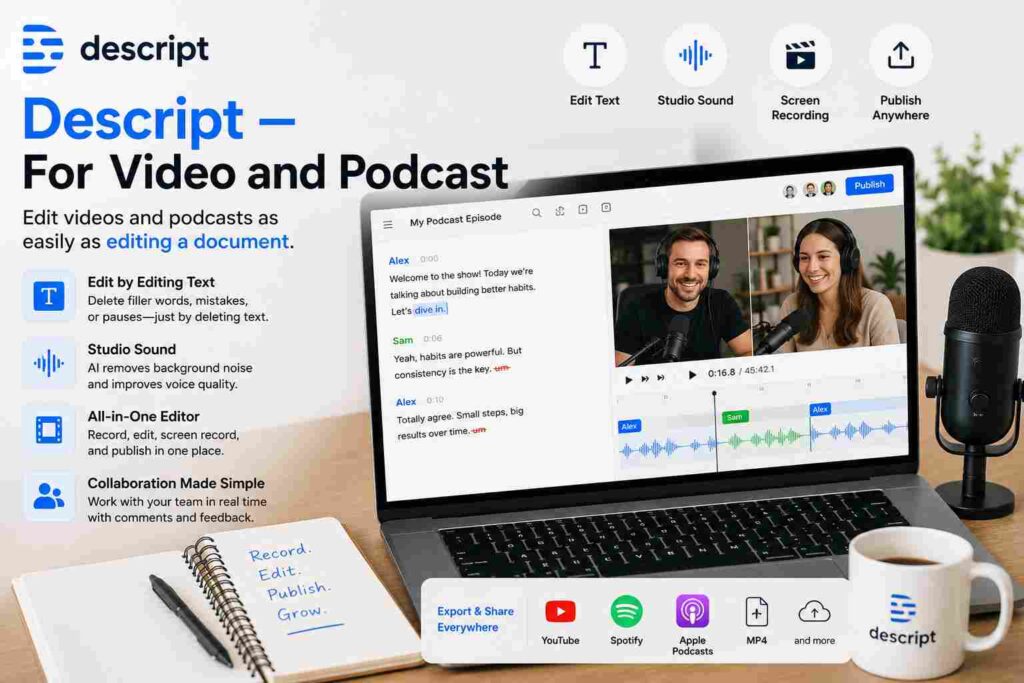
4. Descript — For Video and Podcast Clients
If you have clients in the content or media space, Descript is a game-changer. It lets you edit audio and video by editing a transcript — honestly wild how much time it saves.
I started offering podcast editing as an add-on service because of this tool. Something that used to require specialized skills and hours of timeline editing now takes a fraction of the time. That became an extra $500–$800/month in recurring income with minimal added effort.
Step-by-Step: How to Transition Into Premium Pricing
This isn’t something you do overnight. Here’s the process I’d recommend.
Step 1: Audit your current workflow
For one week, track exactly where your time goes on every project. You’ll probably find 30–40% of your hours are spent on low-value tasks — formatting, basic research, back-and-forth emails, admin work.
Step 2: Automate the low-value stuff first
Don’t try to automate everything at once. Pick the one or two tasks that eat the most time and tackle those first. For me it was client onboarding and monthly reporting.
Step 3: Upgrade your output quality
Use the time you saved to make your actual deliverables better. Spend an extra 30 minutes on research. Add a summary section to reports. Record a quick Loom video walkthrough for your client. These small upgrades justify higher rates without you having to say much.
Step 4: Reframe how you present yourself
Update your website and proposals. Instead of “I’m a content writer,” say “I run a content system that combines strategic research with AI-assisted workflows to deliver better results faster than traditional agencies.” That’s accurate, and it sounds like something worth paying more for.
Step 5: Raise rates with new clients first
Don’t spring a price increase on existing clients right away. Start charging new clients the higher rate, build confidence, then have the conversation with long-term clients at renewal time.
Mistakes I Made So You Don’t Have To
Over-relying on AI for the thinking parts
Early on, I let AI write entire first drafts without much direction from me. The content was generic, clients pushed back, and I spent more time editing than if I’d just written it myself. AI is a tool, not a replacement for your expertise and judgment.
Not testing automations before going live
One time I set up a Zapier flow for client onboarding, didn’t test it properly, and it sent the wrong welcome email to three clients. Always test your automations with dummy data first.
Being vague about using AI
I used to hide the fact that I used AI tools because I thought clients would trust me less. The opposite was true. When I explained that I use “AI-assisted research and quality checks as part of my workflow,” clients were actually impressed. Transparency builds trust, not suspicion.
Raising rates without adding visible value first
I once tried to raise my rates purely because I was using better tools. The client wasn’t seeing any difference in the output, so they pushed back. Make sure the quality improvement is visible and felt before you ask for more money.
A Word on Being Honest About Your Process
If a client asks whether you use AI in your work, be straight with them. You don’t need to walk them through every tool, but a general “I use AI as part of my research and workflow process” is both truthful and professional.
Most clients care about results. As long as you’re delivering quality work and meeting deadlines, the tools you use are largely your business. But if a client specifically asks for no AI involvement, you need to respect that — or find clients who don’t have that restriction.
The freelancers who run into problems are the ones using AI to produce sloppy work and charging top dollar for it. Quality is non-negotiable. These tools should raise your standards, not lower them.

What a Day Actually Looks Like Now
Here’s the honest before-and-after for a single blog post:
Before AI workflows: Research — 2 hours. Writing — 3 hours. Editing and formatting — 1 hour. Client communication — 30 minutes. Total: around 6.5 hours.
After building AI workflows: Research — 45 minutes. Writing from a structured outline — 1 hour. Editing with AI clarity checks — 30 minutes. Client communication via templates — 15 minutes. Total: around 2.5 hours.
Same deliverable. Better engagement metrics for my clients. Charged more. That’s the compounding effect of building smart systems over time.
Where This Is All Heading
AI freelancing isn’t about doing less work. It’s about doing better work, faster, for clients who actually value the results.
The freelancers charging $15/hour are competing with everyone. The ones charging $100+ are competing with almost no one — because they’ve built skills, systems, and positioning that most people haven’t bothered with yet.
These tools are accessible to anyone right now. What separates people isn’t access — it’s intention. Use AI to cut corners and you’ll hit a ceiling fast. Use it to genuinely level up your output and your client experience, and the income growth follows naturally.
Start small. Automate one thing. Improve one part of your deliverable. Raise your rate with the next new client. Then repeat the whole cycle.
That’s the whole playbook. Simple, unglamorous, and it actually works.
Got a specific niche or workflow you’re trying to improve? Drop it in the comments and let’s figure it out together.