Introduction
My first eBook made me $11.
I spent six weeks writing it, designed the cover myself in Canva, uploaded it to Gumroad, shared it on Twitter three times, and watched it sell exactly one copy — to my cousin, who I am pretty sure bought it out of pity.
I almost gave up on the whole idea. But something felt wrong about quitting, because the concept made too much sense. People buy digital books every single day. The production cost is basically zero. Once it is live, it can earn while you sleep. So why was mine failing?
Turns out the problem was not the writing. It was everything around the writing — the topic, the positioning, the platform, and the audience. Once I fixed those things, my second eBook made $340 in its first month. My third crossed $1,000. And now I help other people set up the same system.
This article is everything I wish someone had told me before I wrote that first one.
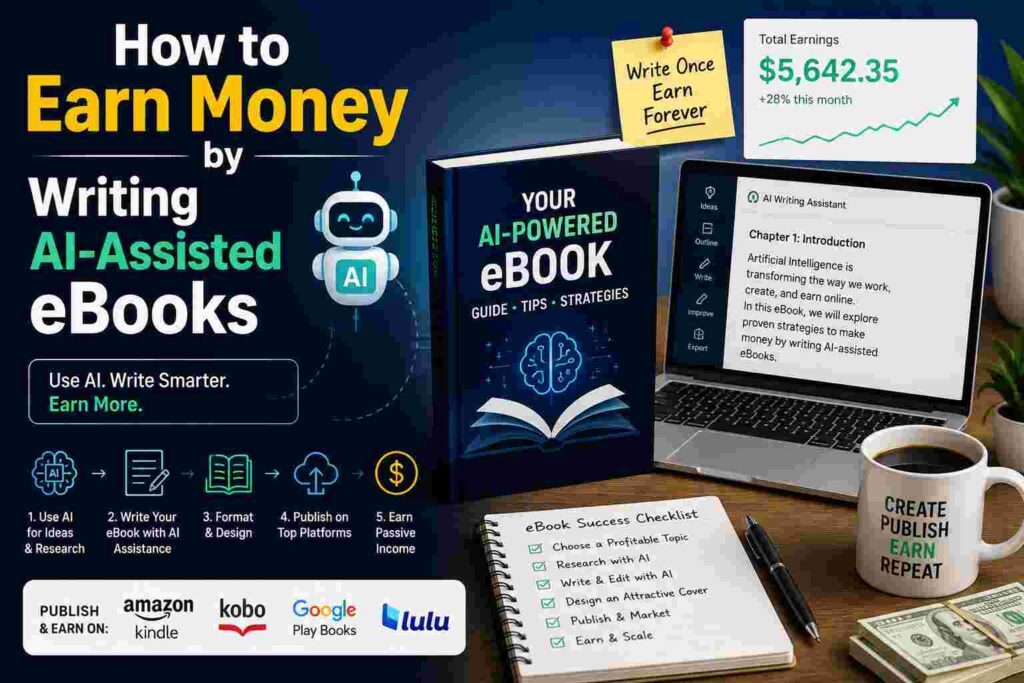
Why AI Changes the eBook Game Completely
Writing a full eBook used to take months. You had to research, outline, draft, rewrite, edit, and format everything yourself. Most people started with great intentions and abandoned their draft somewhere around chapter three.
AI tools like Claude, ChatGPT, and Jasper have changed that timeline dramatically — not because they write the book for you, but because they handle the heavy lifting so you can focus on the parts only you can do.
Think of AI as a very fast research assistant and first-draft writer. You bring the topic, the angle, the real experience, and the human voice. AI helps you get words on the page without the three-hour blank screen situation.
The people making real money from AI-assisted eBooks are not just copy-pasting ChatGPT outputs. They are using AI strategically and layering their own personality and knowledge on top.
Step 1 — Pick a Topic People Are Already Searching For
This is where most people go wrong, including me with my first eBook.
I wrote about “building a morning routine” because I personally found it helpful. The problem? Thousands of free articles, YouTube videos, and podcasts already cover that topic. Why would someone pay $12 for my take on it?
The sweet spot is a topic that is specific enough to have low competition but popular enough that people are actually looking for it.
Some ways to find winning topics:
Go to Amazon Kindle and browse bestseller lists in niche categories. Look at what is selling, then think about what related topic is not yet covered well.
Type your general idea into Google and look at the “People Also Ask” section. Those questions are real things real people are typing. A whole eBook could be built around answering three or four of those questions deeply.
Check Etsy and Gumroad for digital products in your interest area. If people are buying $5 PDFs on a topic, they will buy a $17 eBook that goes deeper.
Reddit is gold for this. Find the subreddit for your topic and read what questions keep coming up that nobody fully answers. That gap is your book.
My second eBook was about freelance invoicing and getting paid on time — specifically for creative freelancers. Specific, practical, and honestly a topic I was personally frustrated about. It sold because the right person stumbled on it and immediately felt like it was written for them.
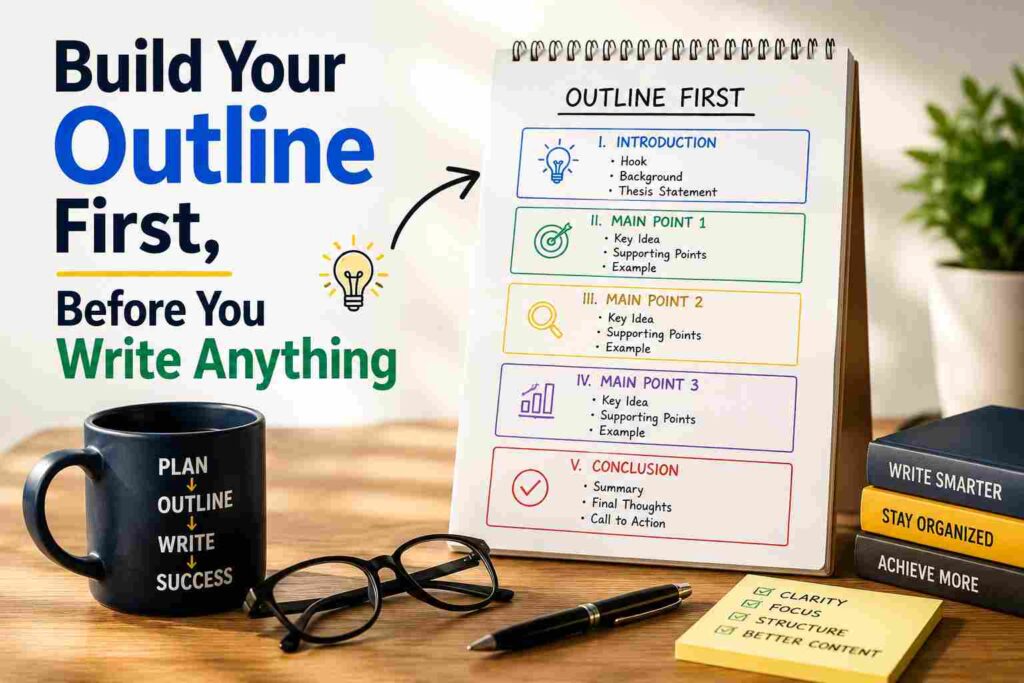
Step 2 — Build Your Outline First, Before You Write Anything
Do not jump into writing. Spend one focused hour on your outline.
Here is a simple way to do it with AI:
Open Claude or ChatGPT and type something like: “I am writing a practical eBook for freelance graphic designers about how to raise their rates without losing clients. Give me a detailed chapter-by-chapter outline with subheadings.”
Take what it gives you and start editing. Remove what does not fit. Add your own experiences and angles. Rearrange chapters until the flow feels natural.
This outline becomes your road map. Every time you sit down to write, you know exactly what you are working on. No blank page panic.
A good eBook outline usually has:
An introduction that speaks directly to the reader’s frustration or problem. Three to seven main chapters, each solving one piece of the puzzle. A final chapter with a clear next step or action plan. Optional bonus section or resource list at the end.
Keep it focused. A tight 5,000-word eBook that solves one specific problem will outsell a bloated 25,000-word general guide almost every time.
Step 3 — Write With AI, But Edit Like a Human
This part matters more than anything else.
Take your outline and work through it chapter by chapter. For each section, give AI a clear prompt. Something like: “Write a conversational, practical section about how freelancers can prepare for a rate increase conversation with a long-term client. Include specific things to say and common objections they might face.”
Read what comes back. It will usually be decent but generic. Now here is your job:
Add a personal story or example. Change the language to sound like you. Cut any sentences that feel stiff or corporate. Add specific details — a number, a name, a real scenario. Include anything AI got wrong or oversimplified.
This editing pass is what separates an eBook people actually enjoy reading from one that feels like a Wikipedia article with line breaks.
Do not skip it. This is where your value lives.
Step 4 — Format It Properly
Nobody wants to read a wall of text in a PDF.
Keep your formatting clean and easy to skim. Use short paragraphs of two to four sentences. Add subheadings for every major point. Use a simple, readable font — something like Georgia or Lato at 11 or 12pt. Leave plenty of white space between sections.
For design, Canva is genuinely the easiest option. They have eBook templates you can customize in an hour. Pick something clean and professional. The cover matters more than people think — it is the first thing someone sees and it sets the expectation for quality inside.
Export as a PDF. That is your deliverable.
If you want a more polished result, tools like Adobe Express or Designrr let you import text and auto-format it into a proper book layout quickly.
Step 5 — Price It Right
Most first-time eBook writers underprice because they are nervous.
They charge $3 thinking it will sell more copies. Sometimes that logic works, but usually it just signals low value.
A practical, specific eBook that solves a real problem can comfortably charge $12 to $27. If it comes with bonus materials — a template, a checklist, a resource list — you can push to $35 or $47.
Think about the value to the reader. If your eBook saves a freelancer three hours of frustrating trial and error, charging $19 for it is a complete no-brainer for them.
Test one price for 30 days. If you are getting traffic but no sales, the price might be the issue. If people are buying without hesitation, consider raising it.
Step 6 — Choose Where to Sell It
You have a few solid options here depending on how much control you want.
Gumroad is the easiest starting point. You sign up, upload your PDF, set a price, and you are live in under an hour. They take a small cut but handle all the payment processing and delivery automatically. It is where I sold my first successful eBook.
Payhip is similar to Gumroad with slightly lower fees. Good option if you want to keep more of each sale.
Amazon Kindle Direct Publishing puts your eBook in front of millions of buyers already shopping for books. The downside is you earn royalties of around 35 to 70 percent depending on your price range, and Amazon controls the relationship with the buyer.
Your own website with a simple Shopify store or even a Linktree link to Gumroad gives you full control and lets you build an email list from buyers. That email list becomes your biggest long-term asset.
For beginners, I always say start with Gumroad. Get your first sales. Then branch out once you know your topic sells.

Step 7 — Drive Real Traffic to It
This is the part nobody talks about enough.
An eBook sitting on Gumroad with no visitors will never sell. You need to bring people to it.
Pinterest is massively underrated for digital products. Create five to ten pins pointing to your eBook page. Use simple, clear text on the image like “How Freelancers Can Finally Raise Their Rates Without Losing Clients.” Pinterest has a long content lifespan — pins from six months ago still drive traffic.
A niche blog with three to five helpful articles related to your eBook topic builds organic Google traffic over time. Link your eBook naturally within those articles.
Short TikTok or Instagram Reels where you share one tip from the book work surprisingly well. You are not selling — you are giving value. The eBook is just the “if you want more of this” option.
Reddit and Facebook groups in your niche can drive quick early sales if you contribute genuinely and mention your eBook only when it is truly relevant. Do not spam. People can tell.
Mistakes I Made (So You Do Not Have To)
Writing about something I cared about instead of something people were searching for. Passion matters but so does demand. Find the overlap.
Publishing with zero audience and expecting sales to appear. The eBook does not market itself. You have to show it to people.
Making it too long. My first draft was 18,000 words. Nobody needs that. I cut it to 8,000 and it was better in every way.
Not building an email list from buyers. Every person who bought should have been added to a list so I could tell them when the next book came out. I wasted that opportunity for months.
Pricing too low and wondering why I felt resentful about the sales. Charge what the value is worth.
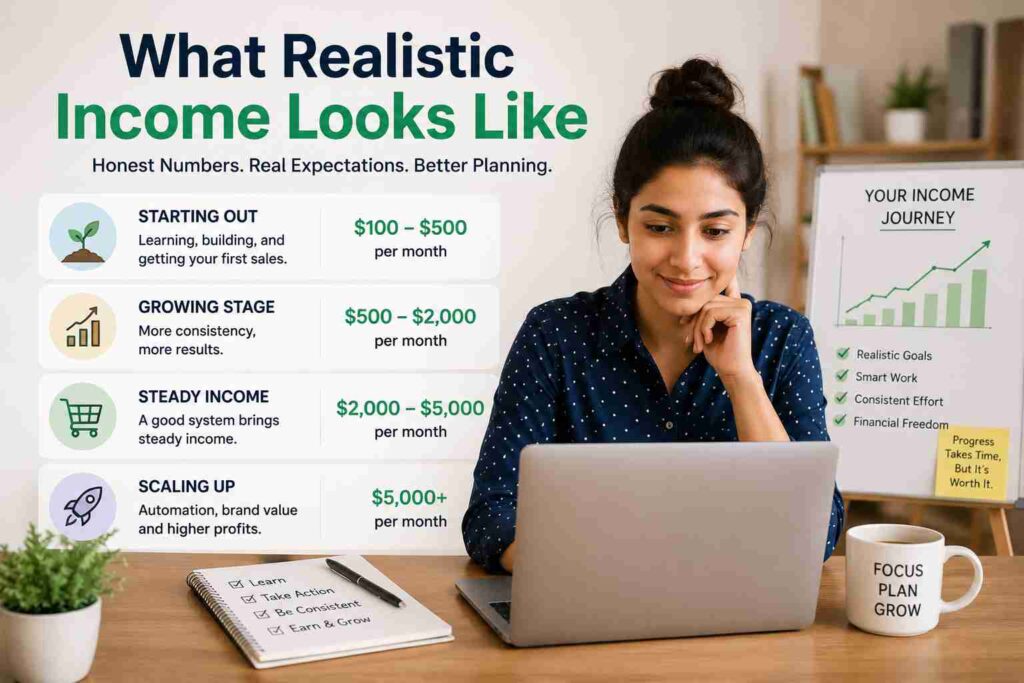
What Realistic Income Looks Like
I want to be straight with you here because a lot of content online makes this sound easier than it is.
Month one will probably be slow. If you sell 10 copies at $17, that is $170. Not life-changing, but it is real proof of concept.
By month three, with consistent traffic efforts, 30 to 60 sales per month is a realistic target for a well-positioned eBook. That is $510 to $1,020 monthly from one product.
The people earning $2,000 to $5,000 per month from eBooks usually have three to six titles published, an email list they built over time, and a consistent content strategy driving traffic. It compounds.
The first eBook is the hardest. The second is faster. By the third you have a system.
One Last Thing
The writers who succeed at this are not the ones who wait until everything is perfect. They are the ones who publish something imperfect, learn from the response, improve it, and keep going.
Your first eBook will probably not be your best. That is completely normal.
What matters is that you finish it, get it in front of people, and let real feedback shape what you do next.
You already have knowledge someone else needs. AI just helps you get it out of your head and into their hands faster than ever before.
Start with that.
Tools mentioned in this article: Claude, ChatGPT, Jasper, Gumroad, Payhip, Amazon Kindle Direct Publishing, Canva, Adobe Express, Designrr, Shopify, Pinterest, Linktree